This Convergence Brought to You by Post Formats and Duster

Happily, I have found a theme that leverages post formats, looks great, and gives me the kind of customization I like in Duster.

Because of this, I’ve recently merged my old short-form site into this one and plan on maintaining just the one site whenever I have something I think is worth posting. I’ll try to write more, I promise. 🙂

Point A to Point B (and points in-between)

This past Sunday I completed my second-ever journey to Europe, this time to the wonderful city of Vienna. I will tell you more about this trip and why I enjoyed it later. I will also post pictures for you later.

First, I will recount for you a transatlantic tale of woe. Though it has a happy ending, be assured that while it was happening I was very quickly reaching the end of my proverbial rope, and wasn’t sure whether I should collapse into a heap of pathetic crying or flip out and snap at the airport staff, security, or various others involved in my “experience” at Toronto Pearson.

At this point, I suppose I am fortunate that the TSA doesn’t exist in Canada.

Continue reading

I Wonder If last.fm Heard That?

The last.fm blog:

On February 15, the radio service built into Last.fm mobile apps and on home entertainment devices will become an ad-free, subscriber-only feature.

Last.fm Radio will remain free on the Last.fm website in the US, UK and Germany and for the US and UK users of Xbox Live and Windows Mobile 7 phones. We’ll also continue to offer radio for free via the Last.fm desktop app.

That sound you heard was the remaining last.fm users deleting the app from their phones and installing Pandora instead.

New iPhone Wallpaper: Phoenix Wright

I’m a Phoenix Wright fan.

I’m actually not able to find any authorship for this image, so I’m reposting it here in case others want to grab it. If you own this, please contact me and I’ll be happy to link to you instead.

Tell Front Row to Stop Interrupting You

If you use a Mac, there is a high likelihood that you have, at least once when switching applications using ⌘-Tab, accidentally hit ⌘-Esc instead. This causes your computer to pause for a bit, interrupt what you’re doing, and enter Front Row.

I have never used nor do I really care about Front Row. I’ve even managed to kernel panic my laptop once by invoking it and then trying to get out of it too quickly.

After a conversation with Andrew at work mutually expressing our hatred for that little “feature,” I was bothered enough to try and find a way to stop it from happening. It turns out that it’s a pretty easy thing to do, really.

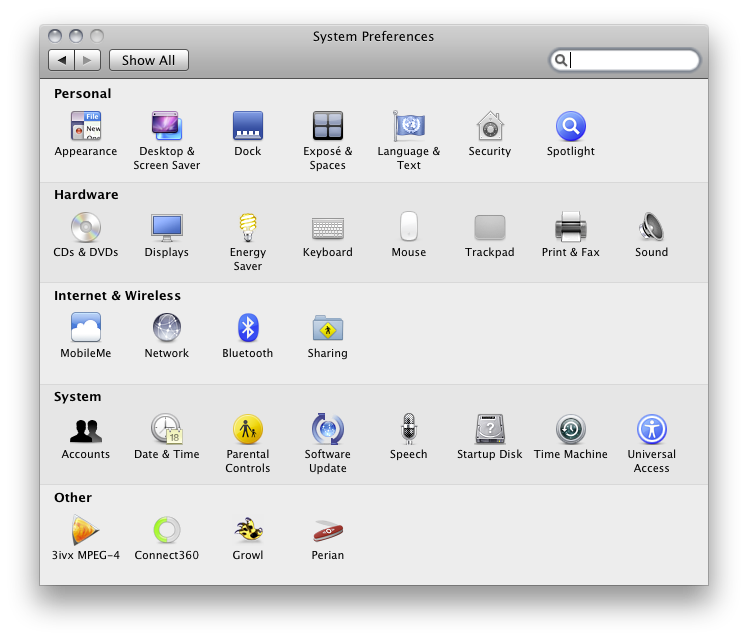
Fire up System Preferences. You can find it in the Apple menu, in your Dock in a default setup, or in the Applications folder.
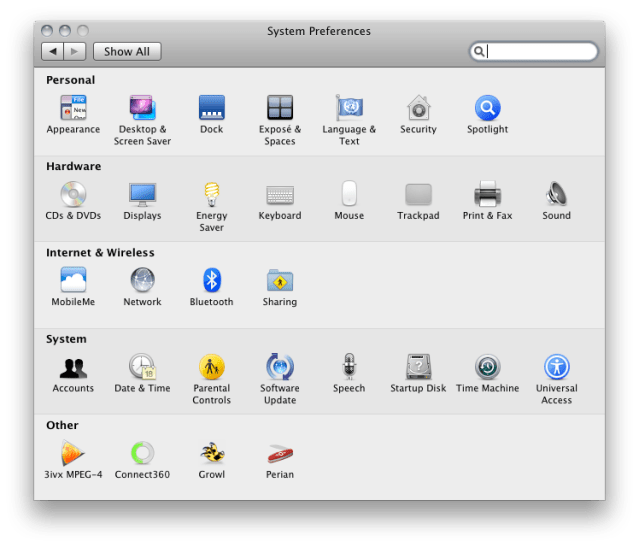
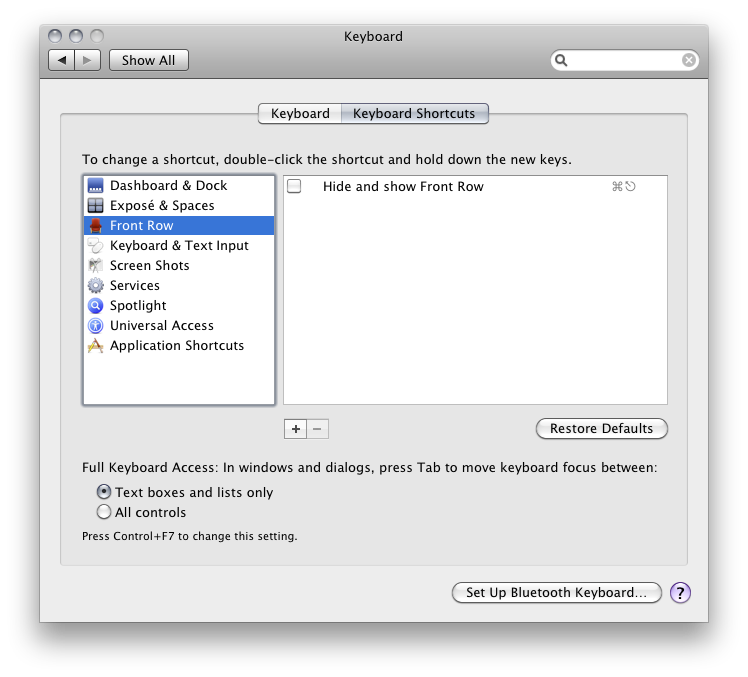
Click on the Keyboard preferences panel. Click the tab marked Keyboard Shortcuts.
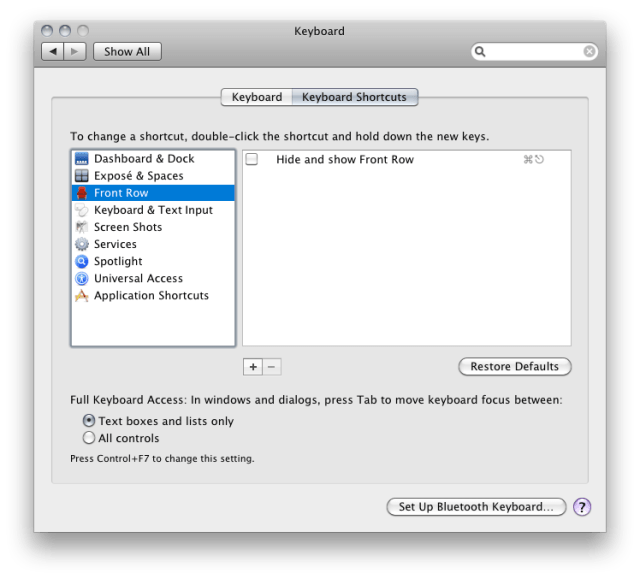
In the list of applications to the left, select Front Row. You’ll see a list of—or really, the only—keyboard shortcut in use by Front Row, and that’s the one that brings it up when you don’t want it. Untick the box for “Hide and show Front Row” and then close your way out of System Preferences.

Now, hammer that key combination a few times to prove to yourself that the demons have been exorcised. It’s OK, because nothing will happen.

Mildly annoying problem, super-simple fix.